Showing posts with label photoshop. Show all posts

Friday, February 25, 2011

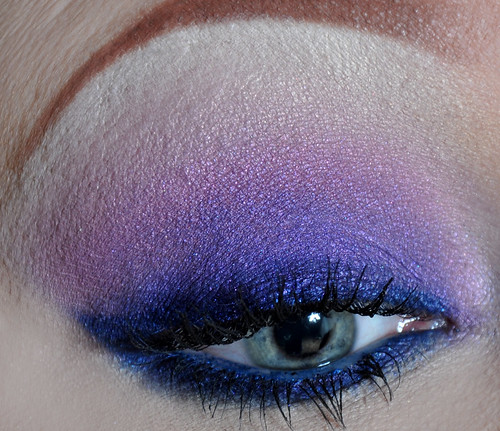
Pink and Purple Smoke :)

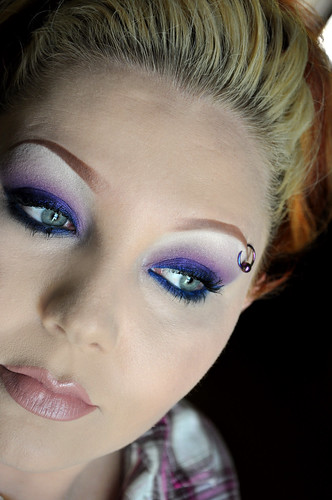
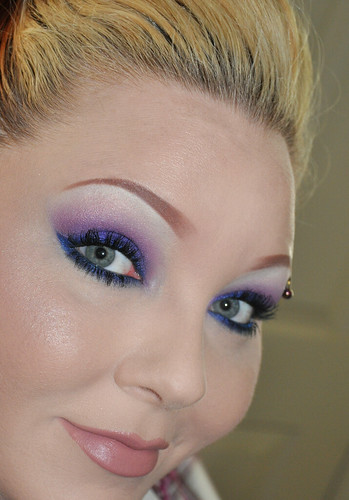
A simple smokey sparkly look! Say that 5 times fast :)

I am so loving these new colors from BFTE! I know I use their shadows for most of my looks, but I can't help it. I just love them! BFTE's Laura & Midnight Kisses are officially in my top 10 favorite shadows, ever...ever!
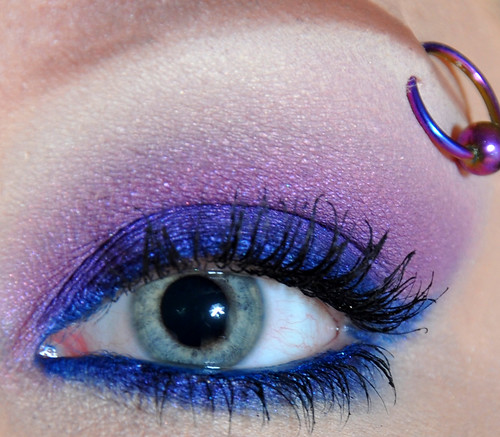
simple, smokey, sparkly 2

simple, smokey, sparkly 3

simple, smokey, sparkly 4

simple, smokey, sparkly

UDPP first on lid. Next, I applied Urban Decay 24/7 liner in Deviant (deep blue) all over the lid. I faded the edges out with my finger tips.

I then applied BFTE's Laura (deep pink, with sparkle) all over the lid and faded above brow bone. The blue liner made Laura a pinkish purple color that fades into a pink as it gets toward the brow. (I hope that makes sense!)

I used BFTE's Way up High as brow highlight over NYX Milk pencil.

Then, I lined my eyes with UD 24/7 liner Deviant (same liner I used on my lid as a blue base). I winged my liner, and lined my waterline and under my eye also.

I used a pencil smudgy brush to apply BFTE's Midnight Kisses over all the areas I applied Deviant. I smudged Midnight Kisses to give it more of a smokey look.

Blush - Nars Angelika
Cheek Highlight - BFTE Pyxis

Lips - Nars lip pencil Sex Machine, then MAC Blankety on top

side note - this is the first time I've tried the eye makeup remover and q-tip trick to make a sharp line on the outer corner of the eye. I love the way it turned out! :)

Thanks for looking lovelies!

Anna aka Snooglerat

Saturday, February 19, 2011

Pink Hair & Hearts

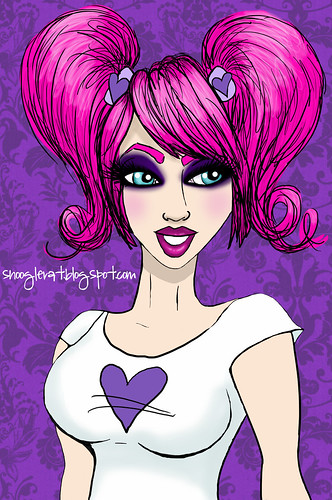
Keeping in the spirit of Valentine's Day, I present my very pink haired, and uber smokey purple eyes girl. :)

Ta - dah! :D

pink heart girl

I'm not a graphic designer (but very envious of you that are) but I am an artist. My first major in college was art... I had a scholarship...but after a few semesters, I didn't feel that was the path for me at the time. I enjoy drawing and painting on a regular basis though. I think being an artist is what helps with my makeup application, choosing color combos, etc (and lots of practice!)... Anyways, since I didn't take any graphics classes, I try to practice on a regular basis with my Wacom tablet...drawing my girls...

I would love to be graphic designer ...

I love my job I have now though :) So I will just practice and learn what I can on my own.

Thank you lovelies!

Anna aka Snooglerat

Wednesday, September 30, 2009

Quick Photoshop Elements post...

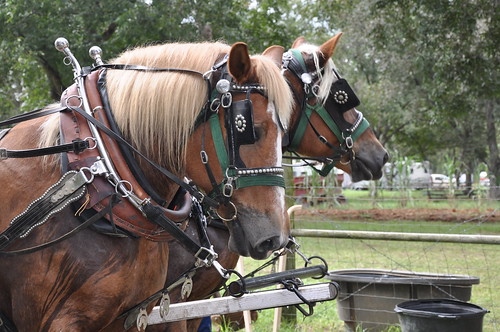
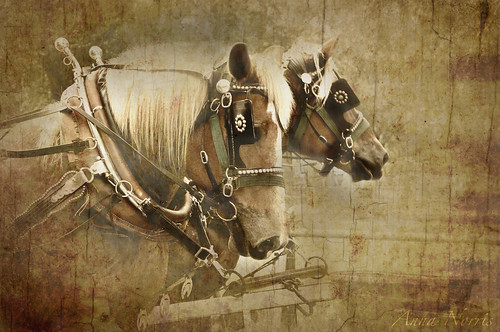
I learned a few months ago how to create a texture overlay using Photoshop Elements (PSE). I created a new photo using this technique and wanted to share with everyone.

Here is the original photo
DSC_7253

Here is the final product
Two Horses

I used two different overlays to create this effect
http://www.flickr.com/photos/shashamane/3402844138/sizes/m/in/pool-807238@N23/
http://www.flickr.com/photos/hanne_exurban/3887171546/sizes/m/in/pool-807238@N23/


Basically, your putting one picture on top of another to get this effect. In PSE you can adjust how much you see of the photograph by using layers. The textured pictures above can be seen at 100%, which would make them opaque. Or, you can adjust them to say, 50% or so. This way you get a hint of the texture on top of your original photo. If there is a section of the photograph that you do not want to be covered, simply erase that part of the texture.

Flickr has a large selection of groups dedicated to using textures, and some groups that contain user created textures.

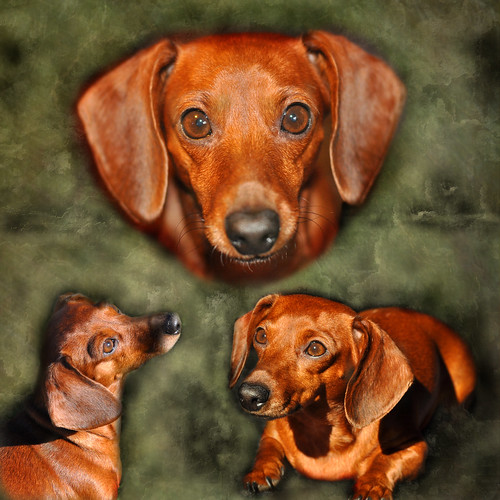
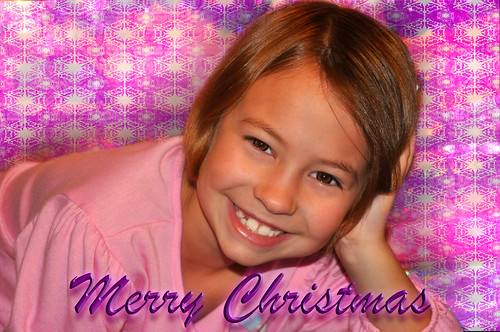
Here are two more pictures I created using the same principle.

Snoogle...she is a cutie :)
3 times the "AWE"

Abi :)
Merry Christmas Abi